
Fortinet Firewall Online Live Class by Experts
Our Training/Internship Process

Fortinet Firewall - Syllabus, Fees & Duration
MODULE 1
- System setup
- Fort guard subscription services
- Logging
- Firewall policies
- Policies
- Policies lab
MODULE 2
- Firewall
- Firewall types
- How to control access
- Managing firewall
- NAT
- Denial of service (DoS)
MODULE 3
- Basic VPN
- VPN uses, advantages and types
- Need of firewall in VPN
- Threat free tunneling
- VPN Bandwidth management
- SSL VPN
- SSL VPN with RADIUS and forti token
- SSL VPN using web and tunnel mode
- Dialup IPsec VPN
MODULE 4
- Authentication
- Requirement and types of authentication
- Group authentication
- Traffic discovery
- AD, LD AP, OR RADIUS
MODULE 5
- Antivirus
- Functioning of Anti-Virus & Anti-Spam
- Basics of Virus, Spyware, Malware, Phishing, and Pharming.
- Web/Mail/FTP Anti-Virus
- Gateway level Anti-Virus/Anti-Spam
- Instant Messaging
- Virus Outbreak Detection
- Recurrent Pattern Detection
- RBL, IP Reputation
- Understanding of Intrusion
- Signature-based detection
- Statistical anomaly-based detection
- Stately protocol analysis detection
- Network-Based IPS & Wireless Based IPS
- Network Behaviour Analysis
- Host-Based IPS
MODULE 6
- Spam filtering
- Web filtering
- Need for web filtering
- Web 2.0 filtering
- Filtering with keywords, URL
- Filtering web traffics
MODULE 7
- Application firewall
- Evolution of Application Firewall
- File Filtering
- Application & P2P Filtering
- Instant Messaging Filters
- Custom Filters
- Compliance based filtering
MODULE 8
- WiFi
- Wifi settings
- Wifi MAC filter
- Wifi monitoring
MODULE 9
- Network availability
- High availability
- Load balancing
- Understand balancing
- Multilink manager
- Active-Active load balancing and gateway failover
- Active – Passive configuration and gateway failover
- MPLS failover to VPN
- Automatic ISP failover detection
This syllabus is not final and can be customized as per needs/updates
- Since 2001, Making IT Experts by Experts
- Duration: 40 Hours (Vary as per your skill)
- Course Fees
- Individual Live Classes (1:1)
- Batch Classes @ Low Fees
- Training on Your Time, Any Where
- Access to Recorded Videos
- Practical Internship on Projects
- 100% Placement Support by our jobsHybrid.com
- Training/Internship Certificate
Course Highlights


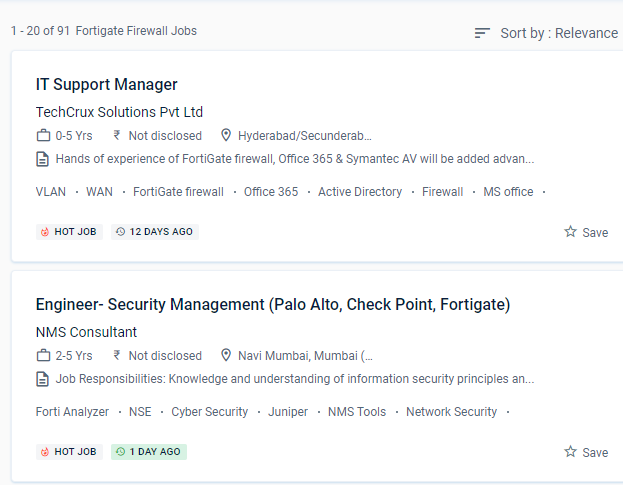
 Examine SSL/TLS-protected communication for evidence of encryption being used to circumvent security restrictions. And, as malware and threats grow more difficult to detect at the access point, security must be extended across the network to monitor behaviors and reveal intent.
Identify the Fortinet Security Fabric's features. This system may be customized to fit any business environment while preserving cutting-edge security features. Prepare the professional for the implementation of corporate security policies and the strengthening of network security programs.
Gather and analyze log entries
.
NESTSOFT train IT and Fortinet ecosystem workers in information, configuration, and management to safeguard networks of enterprises whose most valuable asset is their data.
This will necessitate a wide range of capabilities, including high-performance decryption, post-decryption deep packet inspection, detection of malicious URLs, identification of command and control operations, malware download, and threat correlation.
Based on the Fortinet course in Whanganui learn how to manage setup, monitoring, and operations with FortiGate appliances. Rather than being borderless, networks have become porous, with unprecedented numbers of points of access and endpoints.
Examine SSL/TLS-protected communication for evidence of encryption being used to circumvent security restrictions. And, as malware and threats grow more difficult to detect at the access point, security must be extended across the network to monitor behaviors and reveal intent.
Identify the Fortinet Security Fabric's features. This system may be customized to fit any business environment while preserving cutting-edge security features. Prepare the professional for the implementation of corporate security policies and the strengthening of network security programs.
Gather and analyze log entries
.
NESTSOFT train IT and Fortinet ecosystem workers in information, configuration, and management to safeguard networks of enterprises whose most valuable asset is their data.
This will necessitate a wide range of capabilities, including high-performance decryption, post-decryption deep packet inspection, detection of malicious URLs, identification of command and control operations, malware download, and threat correlation.
Based on the Fortinet course in Whanganui learn how to manage setup, monitoring, and operations with FortiGate appliances. Rather than being borderless, networks have become porous, with unprecedented numbers of points of access and endpoints.